WiseCleaner
- 4.0
- Rating
- 100.00K
- Installs
- Free
- Price

 Analysis by App-foxy
I came away from WiseCleaner with a fairly clear impression: it is a straightforward storage-maintenance tool for Android users who want to see what is taking up space and remove ordinary clutter without turning the process into a technical project. It is not trying to replace a full file manager, backup service, or privacy suite. Its value is narrower, and that is also its main appeal. The app focuses on storage usage, cache cleanup, and common junk files, so I could understand its purpose quickly and get to the useful part without learning a complicated system.
That focused approach makes it easy to recommend to someone who regularly receives “storage almost full” warnings or simply wants a clearer view of an untidy phone. At the same time, I would not treat any cleaner as a magic solution. Removing temporary files can help, but it will not create meaningful room when the real problem is a large video library, downloaded documents, or an oversized game. WiseCleaner works best when used as a practical inspection and cleanup assistant rather than as an automatic cure for every storage problem.
What WiseCleaner actually does well
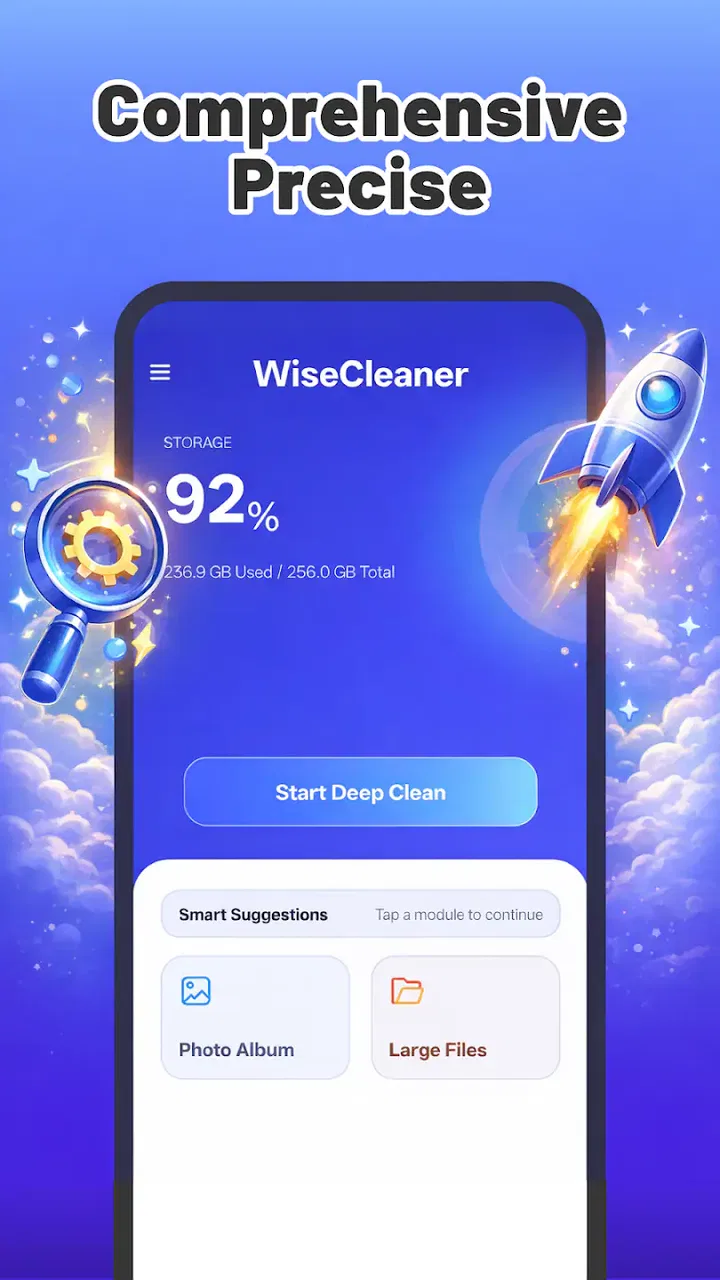
The first useful step is the storage overview. Instead of guessing which apps or files are responsible for a crowded device, I can use the app to identify where space is being consumed. That changes the cleanup process from random deletion into a more deliberate decision. I find this especially helpful on phones where the built-in storage screen is either too general or buried several layers deep in settings.
You May Also Like

 AccuWeather: Weather Radar
AccuWeather Review: A Quick, Clear Forecast for Everyday Decisions
For everyday plans, the best forecast is the one you can understand quickly. AccuWeather makes rain timing, radar, and local conditions easy to act on, with a few trade-offs.

 Hill Climb Racing
Why Hill Climb Racing Still Turns Crashes Into One More Run
A tiny car, a bumpy hill and one more upgrade: Hill Climb Racing keeps resurfacing because its simple chaos makes every near-miss feel personal.

 AliExpress - Shopping App
AliExpress Makes Global Shopping Feel Personal, but Shoppers Bear the Risk
AliExpress turns a global marketplace into a pocket-sized discovery engine. Its reach is useful, its shopping loop compelling, and its trade-offs easy to miss.

 Lords Mobile: Kingdom Wars
Lords Mobile Is a Kingdom-Building Routine, Not a Quick Match
A case-by-case verdict on the building, battles, device demands, and social commitments that make Lords Mobile rewarding for some players and exhausting for others.

 PDF Scanner app - TapScanner
TapScanner Makes Paperwork Easier to Capture, Check, and Share
TapScanner makes scanning with a phone feel less like a rescue operation and more like a dependable step in getting work done. Its capture tools are useful, though not flawless.

 Block Blast!
 Shows How Much a Puzzle Game Can Leave Out
A quiet grid game shows why puzzle players increasingly value instant clarity, repeatable skill and low-pressure play—and where the genre still needs to catch up.
More From Our News Desk
View All News


The app’s central strength is its attention to cache and common junk files. These are the types of leftovers many people ignore because each item seems unimportant on its own. Over time, however, temporary material can become an annoying source of clutter. A dedicated scan gives me a single place to review those candidates, rather than opening individual applications and searching through their settings one by one.
I would still review the results before confirming a cleanup. A file being labeled as unnecessary does not automatically mean I will never want it again. Temporary data can sometimes make an app open faster or preserve a local working state. My preferred routine is to scan first, inspect the categories, and then remove only what I recognize as disposable. That extra pause is more valuable than pressing a large cleanup button without reading anything.
One practical workflow is to use WiseCleaner after a period of heavy travel or media use. When I download maps, documents, images, or short-term files for a trip, the phone can become disorganized even if I do not notice it immediately. The app can help reveal the general storage pressure, while I separately decide which personal files deserve to stay. This division is important: WiseCleaner can assist with maintenance, but my own photos and documents still require human judgment.
Another useful habit is to run a check before installing a large application or downloading an offline collection. Rather than waiting for the installation to fail, I can first see whether the device has enough breathing room. If the scan points mainly to cache, a cleanup may solve the immediate issue. If most of the space is tied up in personal media, I know that deleting temporary files will not be enough and can move directly to a file-management solution.
The app is also approachable for people who are uncomfortable with technical terminology. Its purpose is easy to explain: inspect storage, look for common clutter, and decide what to clear. That simplicity matters for family members who may not know the difference between application data, cached material, and personal files. I would rather guide someone through a focused utility like this than ask them to explore several unrelated Android menus.
WiseCleaner comes from Shi Hong Co., Limited and is offered as a free tools app for an Everyone audience. That combination makes it accessible to casual users, including people who only need occasional maintenance rather than a subscription-based optimization package. Its current version is 8.0.0, and it supports Android 8.0 and later, which gives it a useful reach across older and newer devices.
The public response is reasonably encouraging without suggesting universal approval: the app has a 3.9 average from around 1.8 thousand ratings, with more than 80 written reviews and over 100 thousand installs. I read those figures as evidence that it has found a real audience, but not as proof that every phone will benefit equally. Cleaner tools are particularly dependent on the device, Android version, existing storage habits, and the kinds of applications installed.
A realistic everyday cleanup
Imagine a phone used for messaging, streaming, shopping, and occasional work. After several weeks, the owner notices that free space is shrinking but does not want to remove photographs or uninstall useful apps. I would start with WiseCleaner’s storage view, identify whether temporary material is a meaningful part of the problem, and then review the suggested cleanup areas. If the result is modest, that is still useful information: it prevents false confidence and points toward larger items that need attention elsewhere.
In that situation, the app’s greatest contribution is not necessarily the number of files removed. It is the explanation of where the space went. That insight can change future habits. I might discover that repeated downloads are the real issue, or that one media-heavy application needs attention. A cleaner that helps me ask the right question is more useful than one that simply reports a dramatic-looking scan total.
Where the experience needs caution
The main limitation is built into the category. Cache cleanup is not the same as deep storage management. WiseCleaner can help with common clutter, but it should not be expected to understand every personal file, every application’s internal structure, or every duplicate in the way a careful manual review might. If my phone is full because of long videos, camera backups, music stored offline, or large downloads, I need a file browser, cloud-storage workflow, or the relevant app’s own management tools.
There is also a trade-off between convenience and control. A broad cleaner can save time, but a manual process gives me more confidence about what is being removed. I would be particularly careful on a phone used for work, where a seemingly unimportant local file could be needed later. WiseCleaner is best approached as a recommendation layer, not as permission to delete everything it identifies.
Another point is that clearing cache may produce only temporary relief. Applications can rebuild cached content as they are used again, so the available space may gradually decline after a cleanup. That is normal behavior, not necessarily a failure. If I find myself repeating the same scan every day, I would stop and investigate the underlying storage pattern instead of treating WiseCleaner as a permanent fix.
I also would not use it in place of a backup. A storage utility and a backup system solve different problems. Before making a large cleanup, I would preserve important photographs, recordings, documents, and downloads through a method I trust. The safest cleaning routine is one that separates disposable temporary material from files that have personal or professional value.
How it compares with Android’s built-in tools
Android already includes storage controls, and those controls remain the better option when I need the deepest system-level context. The built-in settings are tied closely to the device and can expose app-by-app storage details that a general-purpose cleaner may not present in the same way. They are also the natural place to uninstall applications, manage permissions, and inspect system storage categories.
WiseCleaner earns its place through convenience. Instead of navigating through several settings screens, I can begin with a dedicated storage check and focus on cleanup-related information. For a person who finds Android’s menus confusing, that simpler starting point may be worth more than having every advanced control in one place. For an experienced user who already knows exactly which apps and folders are responsible, the built-in tools may be enough and could make a separate cleaner unnecessary.
Compared with a full file manager, WiseCleaner has a different purpose. A file manager is better for renaming folders, moving large videos, locating downloads, and organizing personal documents. WiseCleaner is more suitable when I want a quick assessment of temporary clutter. I would use both in sequence if necessary: scan for the easy cleanup first, then open a file-management tool when the remaining problem is clearly personal content.
It also differs from aggressive “phone booster” utilities that promise broad performance improvements. I prefer WiseCleaner’s narrower role because storage maintenance is easier to judge than vague claims about making every part of a phone faster. Freeing space can help a device that is under pressure, but it is not the same as upgrading hardware or repairing a slow application. Keeping expectations realistic makes the app more satisfying to use.
Small habits that make it more useful
I would not run a cleanup immediately after every scan. First, I would note which categories keep returning and whether the phone’s free space actually changes after removal. This creates a simple before-and-after check without relying on a dramatic animation or a large number on the screen. If the result is consistently minor, the next step should be reviewing large personal files rather than repeating the same maintenance action.
I would also treat cleanup as a staged process. Start with clearly temporary material, then review downloads, and only afterward consider application-specific storage. That order reduces the chance of deleting something important just because it appears in a broad list. It also makes the benefit easier to understand, since each stage has a distinct purpose.
For a shared or family phone, I would explain the difference between “freeing space” and “removing content.” A child’s saved videos, a relative’s photographs, or a work document may be large, but size alone does not make an item junk. WiseCleaner can start the conversation by showing storage pressure, while the owner remains responsible for personal decisions. That is a subtle but important way to use the app safely.
Who should use it, and who should skip it
I think WiseCleaner is a good fit for Android users who want a simple storage check, dislike digging through settings, and mainly need help with cache and ordinary junk. It is especially sensible for people who do not want a complicated dashboard or a collection of unrelated optimization features. The free price removes a major barrier for occasional users, and the Everyone rating makes it suitable for a broad household audience.
It may also suit someone using an older phone that still meets the Android 8.0 minimum but has limited free space. In that case, even a modest amount of recoverable clutter can be worthwhile, provided the user understands that personal files and large applications may remain the dominant issue. The app’s usefulness depends less on the age of the phone than on whether temporary material is actually taking up a meaningful share of its storage.
I would skip it if I already manage storage comfortably through Android settings and a reliable file manager. I would also look elsewhere if my main need is duplicate-photo detection, cloud backup, secure file deletion, detailed folder analysis, or moving content between storage locations. Those tasks call for more specialized tools, and using a general cleaner for them could create unnecessary uncertainty.
My recommendation is similarly cautious for users who want guaranteed performance gains. WiseCleaner can make storage maintenance easier, but it cannot compensate for a nearly full media library, an aging battery, weak hardware, or a poorly behaved application. If the phone is slow even after substantial free space is restored, I would investigate those separate causes instead of blaming or repeatedly reinstalling the cleaner.
Final assessment
After looking at its role from both sides, I see WiseCleaner as a useful, limited tool rather than an essential part of every Android setup. Its strongest quality is clarity: it gives ordinary users a focused way to inspect storage and deal with common temporary clutter. The app is free, accessible, and simple enough for occasional use, while its current 8.0.0 release supports devices running Android 8.0 or newer.
The honest trade-off is that convenience does not replace judgment. I would review cleanup suggestions, protect important files, and use a file manager or Android’s own controls when the problem involves large personal content or detailed organization. Used that way, the app avoids making promises it cannot keep and becomes a practical first step when storage starts to feel crowded.
My verdict: choose WiseCleaner if you want an uncomplicated storage check and a cautious way to clear common junk. I would recommend it to friends who need guidance rather than advanced control. I would not recommend relying on it alone for serious storage management, backups, or performance troubleshooting. Its value is modest but real, and for the right user, that focused usefulness is exactly enough.
FAQs for WiseCleaner
01What is WiseCleaner, and what does it do?
WiseCleaner is a utility application designed to help users maintain and optimize their devices by identifying unnecessary files, managing storage, and improving overall system organization. Depending on the version and platform, its tools may include junk-file cleanup, privacy protection, startup or app management, and performance-related features. Before downloading, check the official listing to confirm the exact functions supported on your Android or iOS device.
02Is WiseCleaner safe to download and use?
WiseCleaner should be downloaded only from its official Google Play Store, Apple App Store, or the developer’s verified website. As with any cleaning or optimization tool, review the permissions requested during installation and avoid unofficial modified versions. Some features may require access to storage, installed apps, or device settings. Read the privacy policy carefully if you are concerned about how diagnostic data is collected or processed.
03Can WiseCleaner really improve my phone’s performance?
WiseCleaner may help free storage space by removing temporary files, caches, duplicate items, or other data that you no longer need. However, cleaning an excessive amount of data does not automatically make every phone faster, and aggressively closing background apps can sometimes reduce battery efficiency. Results depend on your device, available storage, and usage habits, so treat it as a maintenance tool rather than a guaranteed performance booster.
04Will WiseCleaner delete important files or personal information?
A reputable cleaner should identify removable items and provide a review screen before deletion, but you should still inspect the results carefully. Avoid deleting files you do not recognize, especially downloads, photos, documents, messaging attachments, or application data. Create a backup before performing a deep cleanup, and remember that removing cache files can sometimes sign you out of apps or reset temporary preferences.
05Is WiseCleaner free, and are there in-app purchases or advertisements?
The cost and available features can vary according to the WiseCleaner version, operating system, region, and developer release. The basic download may be free while advanced cleanup tools, privacy options, or an ad-free experience could require a subscription or one-time purchase. Check the current store page for pricing, trial conditions, renewal details, advertisements, and cancellation instructions before accepting any payment.
Pros
- Quickly identifies junk files and leftover app data.
- Simple interface makes routine cleaning easy for beginners.
- Can help free storage space on devices with limited capacity.
- Offers useful tools for managing large or unnecessary files.
- Cleaning suggestions are generally easy to review before deletion.
Cons
- Some features may require premium access or in-app purchases.
- Aggressive cleaning can remove files you intended to keep.
- Scanning may take time when the device contains many files.
- Background tools can increase battery or memory usage.
- Privacy permissions should be reviewed before granting full access.

WiseCleaner
Gallery